
In Hexicom, you can assign one or more Company Types to customers and suppliers in the CRM. This is a helpful way to categorize and filter your contacts based on how you work with them.
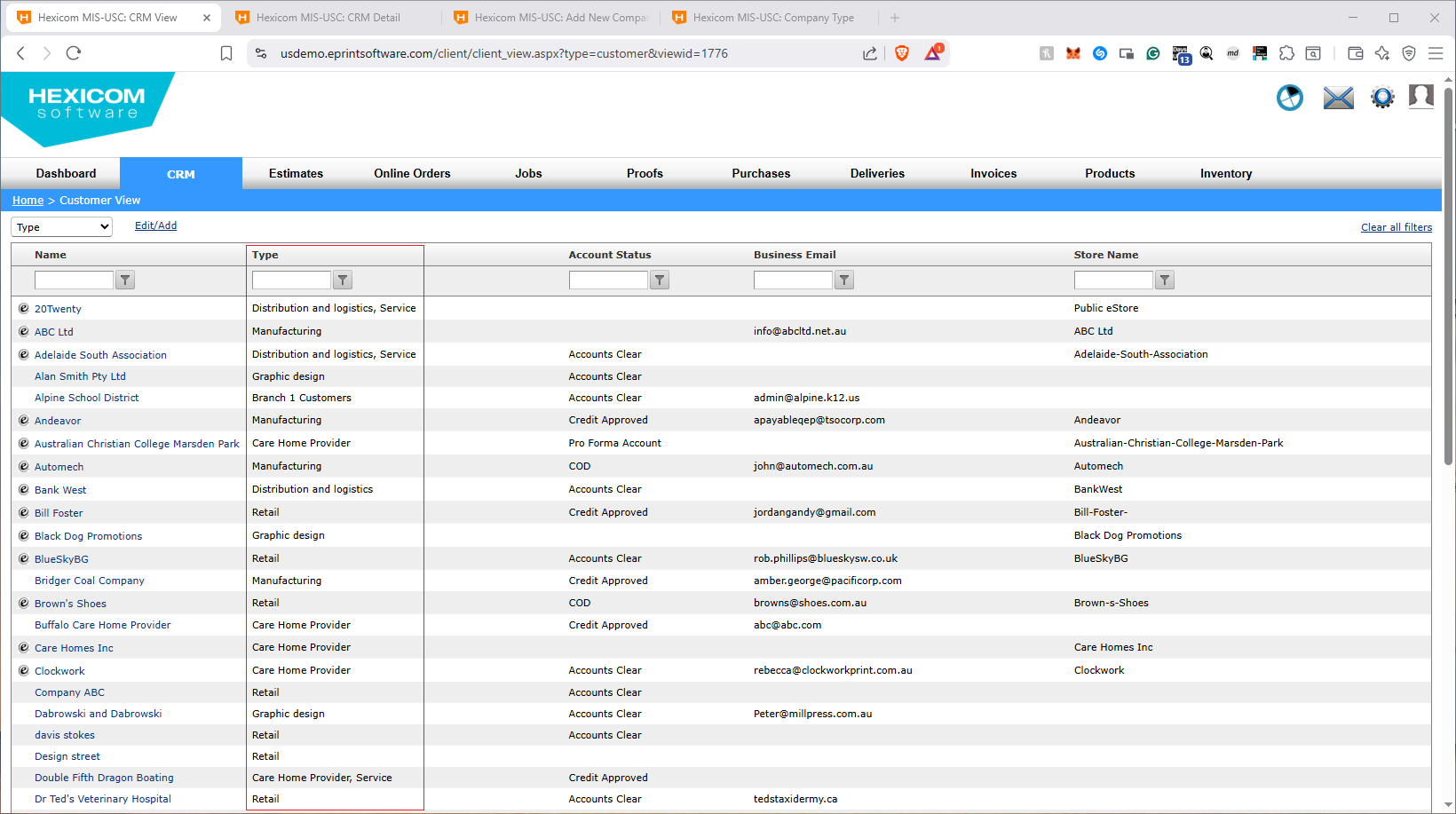
What is a Company Type?
A Type is a label you can use to group customers and suppliers. The Type can be anything you choose, for example:
- Promo
- Manufacturing
- Retail
- Graphic Design
Using Types makes it easier to organize your CRM and quickly identify which customers/suppliers fall into specific categories.
How to Assign a Type in the CRM
- Open the CRM and search for the customer or supplier.
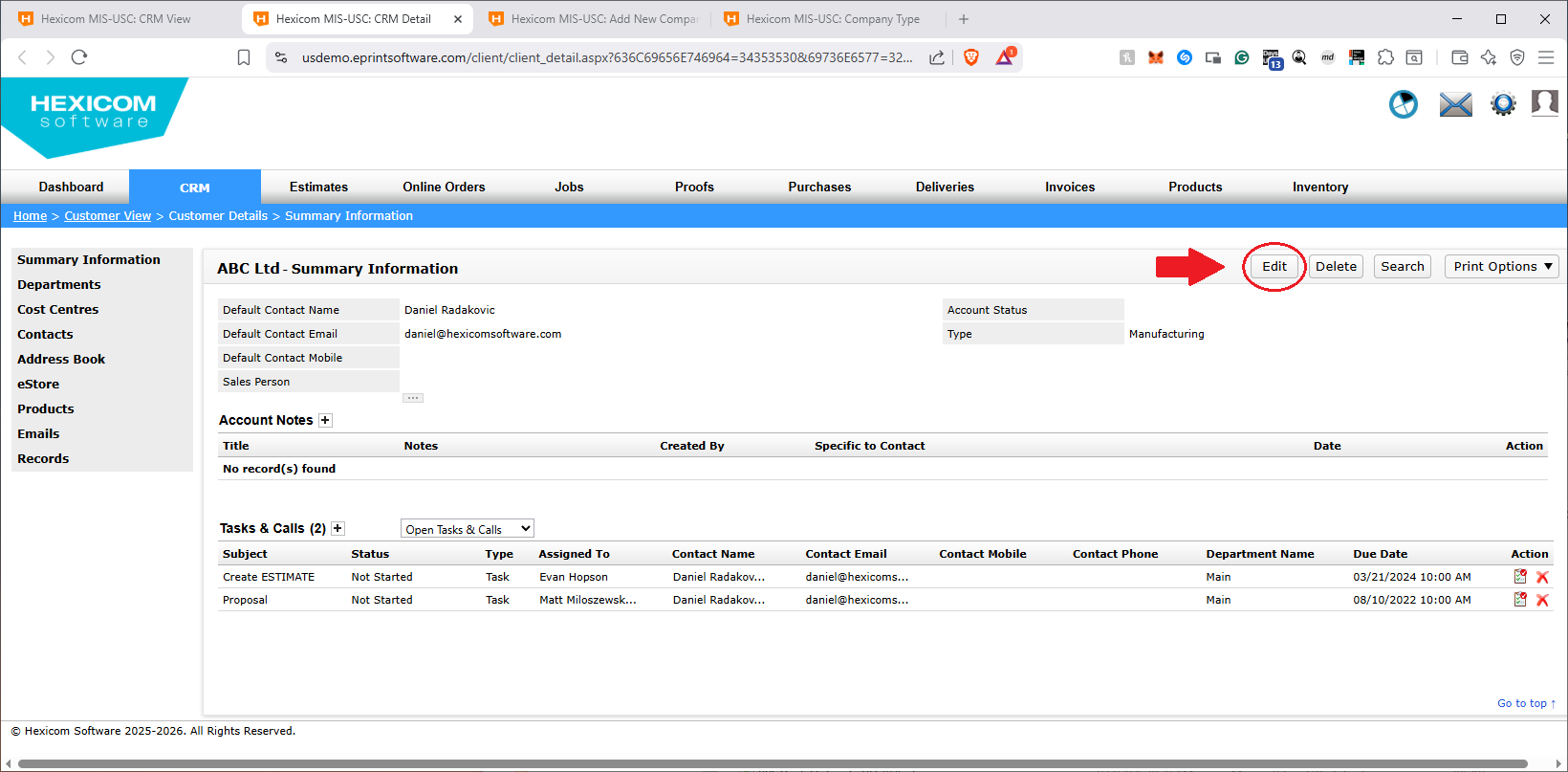
- Open their record.
- Click Edit.
- On the left-hand side, locate the Type dropdown.
- Select one or more Types to assign to the customer or supplier.
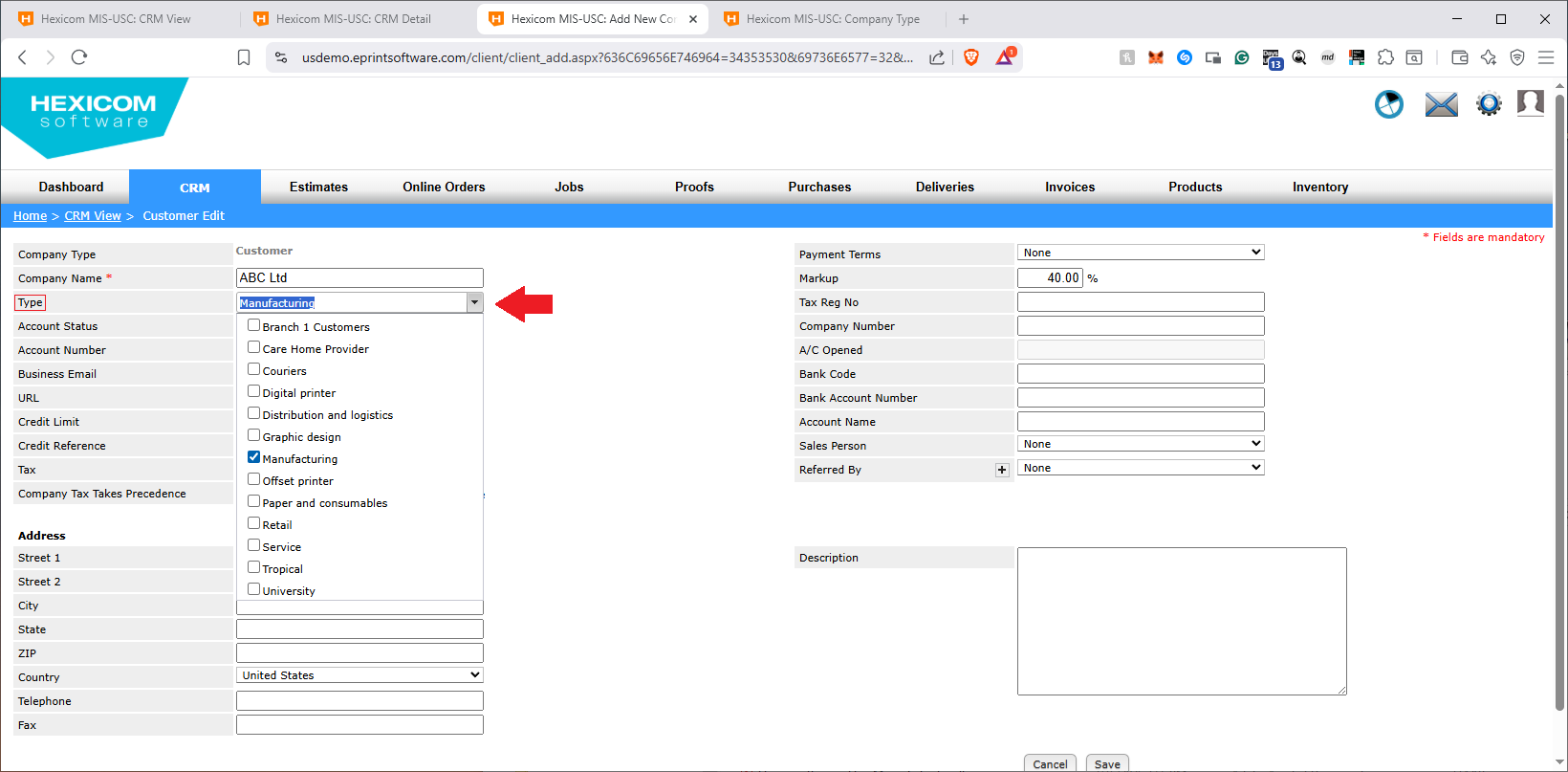
- Click Save.
How to Customize the Type List
If you want to add, remove, or rename Types, you can manage the Type list from your system settings:
- Click the Settings wheel in the top-right corner.
- Go to ePrint MIS.
- From the left menu, click CRM.
- Select Company Type.
- Update the list as needed and save your changes.
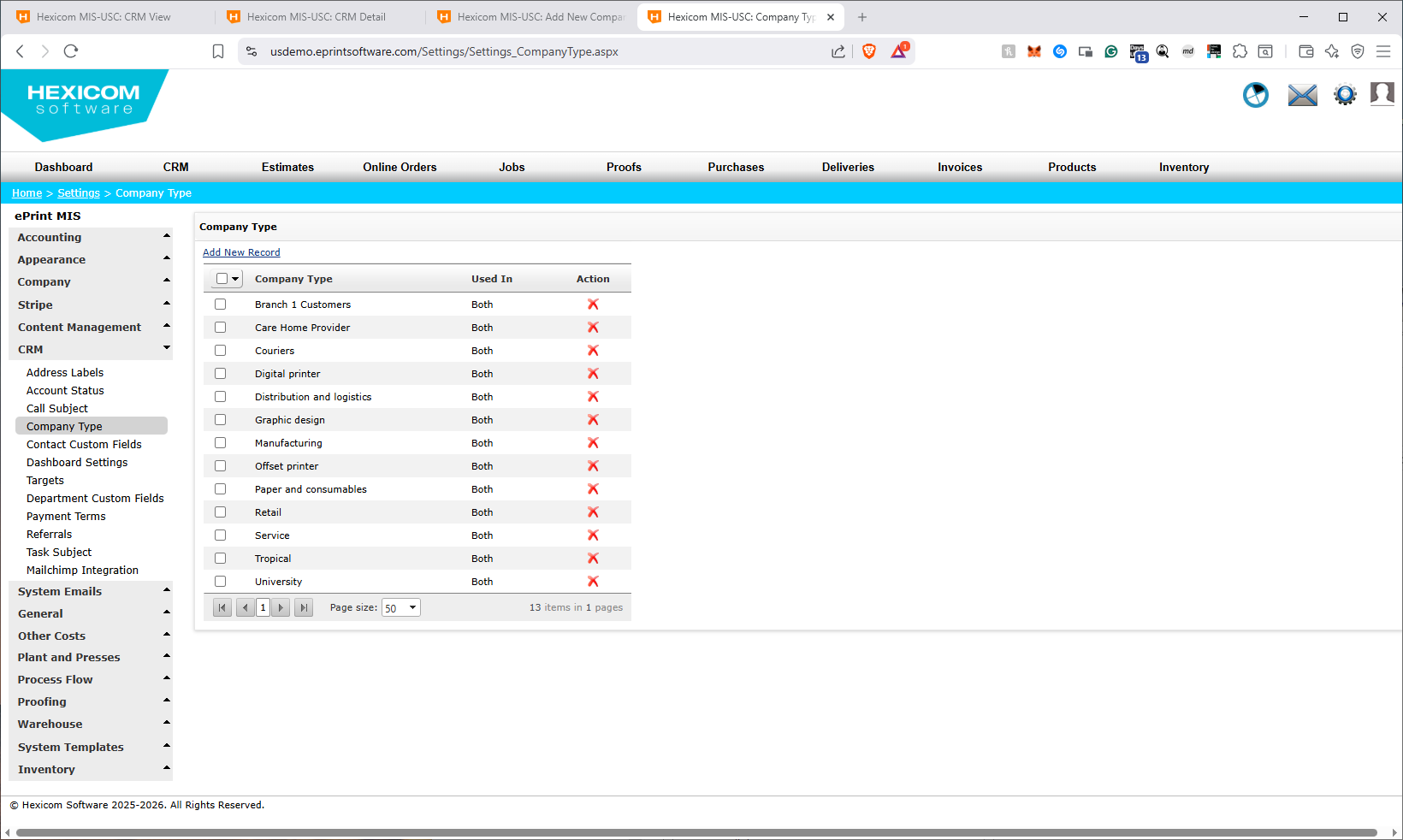
Once updated, the new Types will be available in the Type dropdown for customers and suppliers in the CRM.