
Introducing the Priority Column
Managing a busy pipeline is a constant balancing act. Whether you’re looking at Estimates or Invoices, a simple chronological list doesn’t always tell the whole story. Some jobs are just more urgent than others.
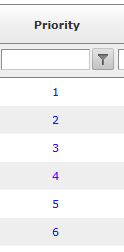
The Real Power: Multi-Level Sorting
While a new column is helpful, the true "magic" happens when you combine it with our Custom Sorting engine.
Most users naturally sort their views by Date. However, when you have ten different jobs scheduled for the same Tuesday, how do you know which one to start first?
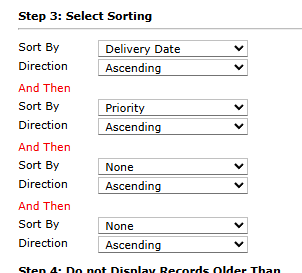
Now, you can set up a "Double Sort":
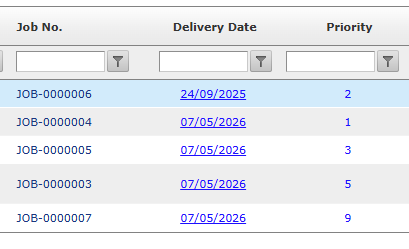
In our example below, we have sorted by Delivery Date and then Priority. Notice how the jobs are grouped by Delivery Date and then ordered by Priority
Primary Sort: Date (Keep your schedule on track).
Secondary Sort: Priority (Rank the importance of tasks within that date).
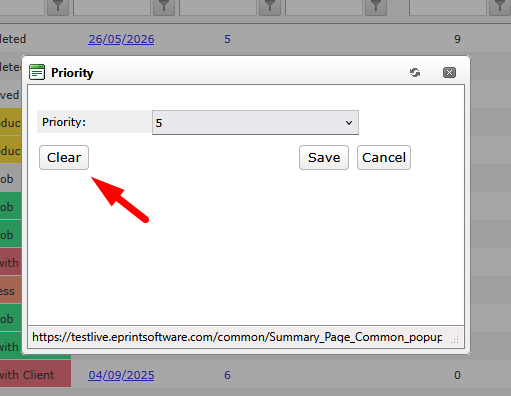
Resetting the priority number is now much easier with the new Clear button. Clicking this button will remove the currently assigned priority and set it back to “...”, allowing users to quickly clear the value.
Ready to try it out? Head over to your Jobs or Estimates view, enable the Priority column in your settings, and start ranking your workflow today.
See guide for customising your views: