eStore Order Approval Guide
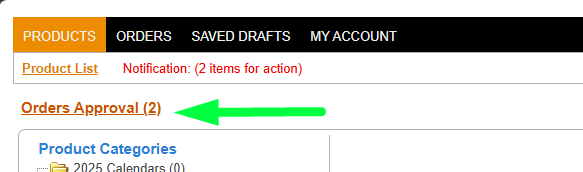
Step 1: Locate Action Items
Navigate to the eStore. Look for the Notification link, which will display the number of pending action items requiring your attention. Click on this link.

Step 2: Access Orders Approval
After clicking the notification, a submenu will appear. Select Orders Approval to view the list of orders awaiting your review.
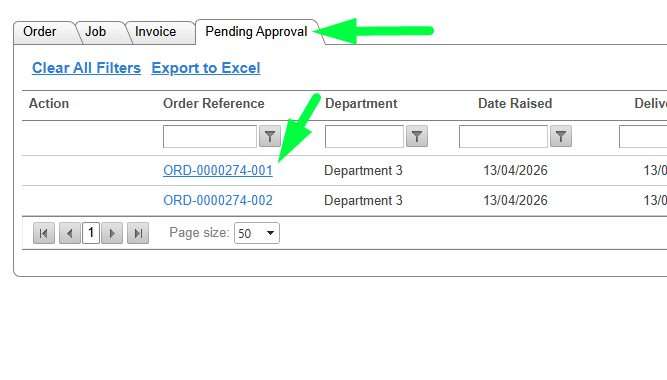
Step 3: Select an Order
Ensure you are on the Pending Approval tab. Locate the specific order you want to process and click on its Order Reference link (e.g., ORD-0000274-001) to open the order details.
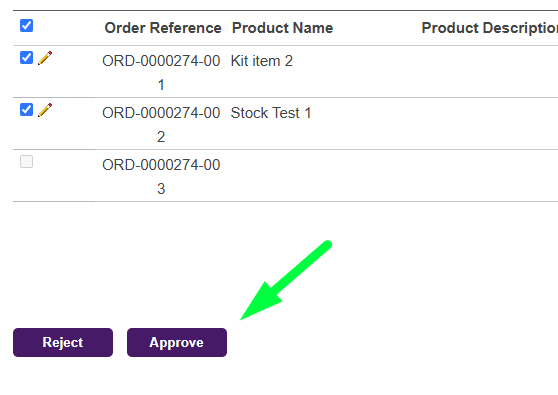
Step 4: Review and Approve (or Reject)
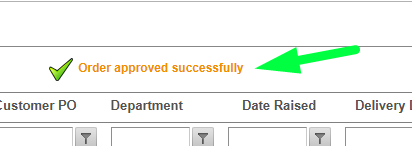
Review the individual products within the order. Select the checkboxes next to the relevant items, and then click the Approve or Reject button at the bottom of the screen to complete the process.