
As the warehouse is designed to track the stock levels of products, the product must exist within the Products module of HexiHub. It is from this location that the stock levels are recorded, tracked, and a history displayed.
You can create a stock product without setting the stock levels, and the system will set the stock value to zero. You can add a valid quantity at a later date.
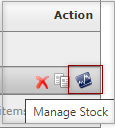
A stock product is easily identified when viewing the All Products screen, once the product is created, and saved as a stock product, an icon will be display on the right hand side of the screen. When you hover your mouse over the icon it displays as Manage Stock. This icon is a shortcut to display and manage the stock settings for the product.
The video provides an overview of how to create a product and set the stock levels, for a product
Please note: there are additional articles and video links at the bottom of this article, if you are new to products or need an understanding of the warehouse features please refer to the links below.
Notes:
You can create a stock product without setting the stock levels however the system will set the stock value to zero, you will then need to return to enter a valid quantity.
Further Information
- The Warehouse Module
- Warehouse Settings and Defaults
- Warehouse Location Settings
- Setting and Changing the Status
- Creating a Stock Product
- Creating an Estimate for a Stock Product
- Warehouse Workflow Scenarios (Replenishment Jobs)
If you have any further questions, please contact Support.